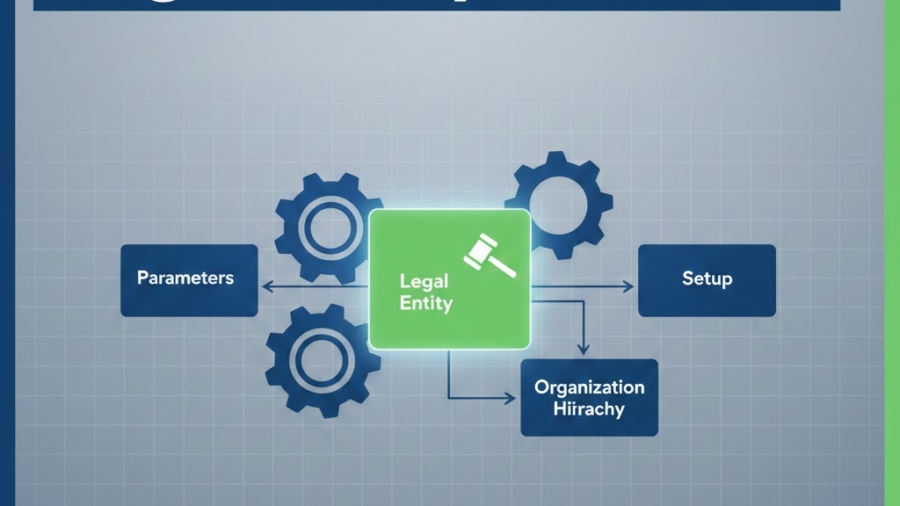
A legal entity is an organization identified through registration with a legal authority; it can enter into contracts and must prepare statements reporting on its performance. Microsoft defines it as a standalone business unit with its own finances, taxes, and compliance
On the action pane click NEW, in the popup window enter the NAME, COMPANY CODE and COUNTRY
On the Fast tab you can enter other information related to the legal entity such as address, contact information, registration numbers, bank account information, number sequences, etc.
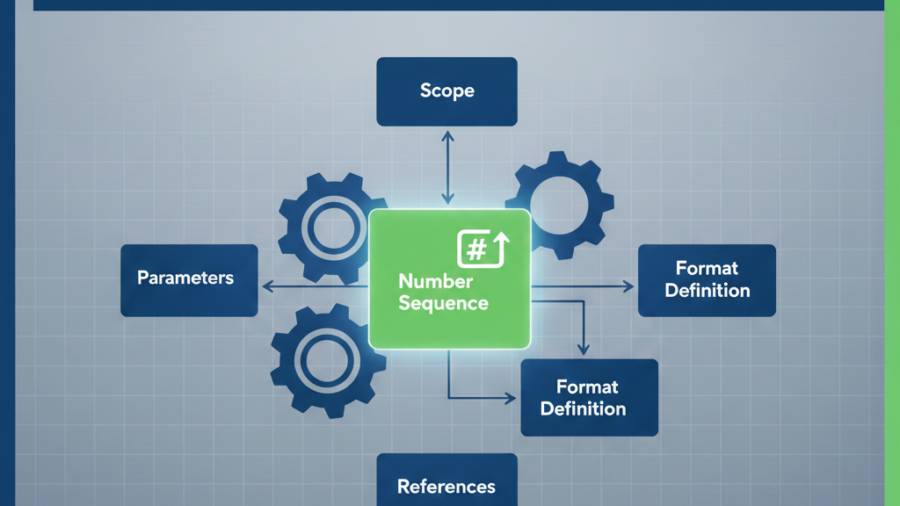
Number sequences in D365 F&O are automated systems that generate unique, readable IDs for records like invoices, purchase orders, or customers. Microsoft describes them as tools creating sequential identifiers (e.g., INV-00001, INV-00002) for master data and transactions, ensuring easy tracking without manual entry errors.
Configuration
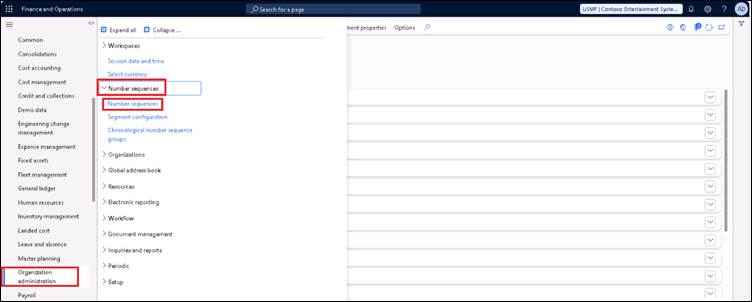
Path: Organisation administration > Number sequences > Number sequences
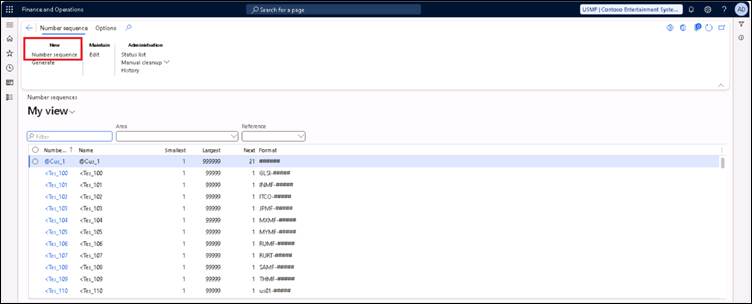
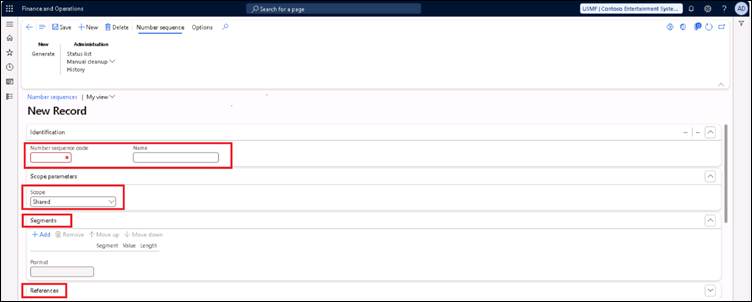
On the action pane, click Number sequence under the head New
On the new page, enter Number sequence code and Name for identification purpose
We can change the scope parameters as legal entity, operating unit and some other options also.
Scope Shared meansitcan be shared with other legal entities also and the number sequences will be global. Here in this scope, we can set it specifically to a Legal entity where that number sequence will only be used by that entity.
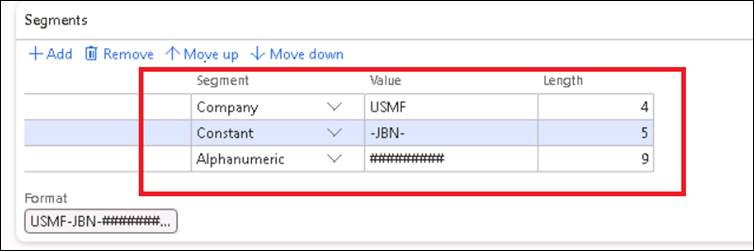
The number sequence can be segmented as constant and alphanumeric. Constant value such as an entity code, number sequence code can be added as a prefix or suffix to the sequence. It can be done in the option Segments.
References option link to specific forms (e.g., Sales Order) so IDs auto-populate.
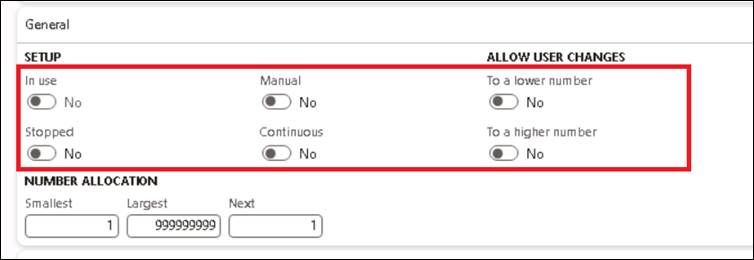
In the fast tab General setup, it can be set as manual entry or as a continuous sequence. If you want to stop its usage it can be enabled through the toggle Stopped.
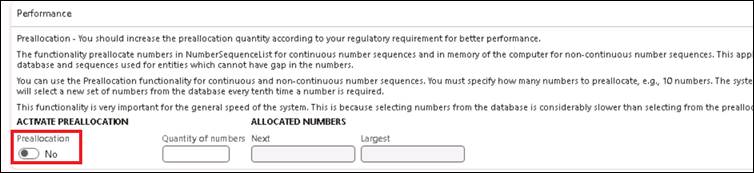
Preallocation function grabs a batch of numbers ahead of time (e.g., 10 IDs) and stores them in memory or database, so the system issues them quickly without hitting the database every single time.
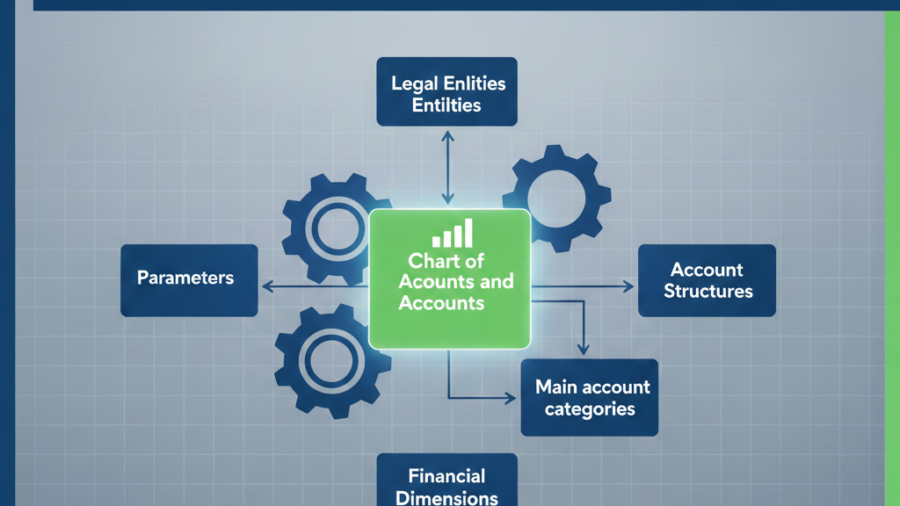
The Chart of Accounts (COA) is the complete list of all your financial accounts. It is more than just a list of accounts, it’s a structured framework combining main accounts, financial dimensions, and account structures. Proper planning ensures compliance, accurate reporting, and scalability across multiple legal entities.
Configuration
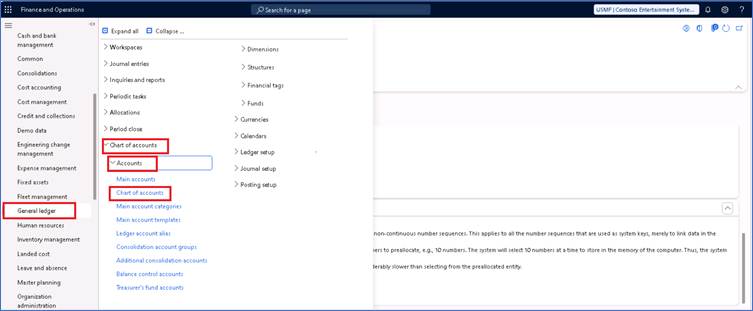
Path: General Ledger > Chart of Accounts > Accounts > Chart of Accounts
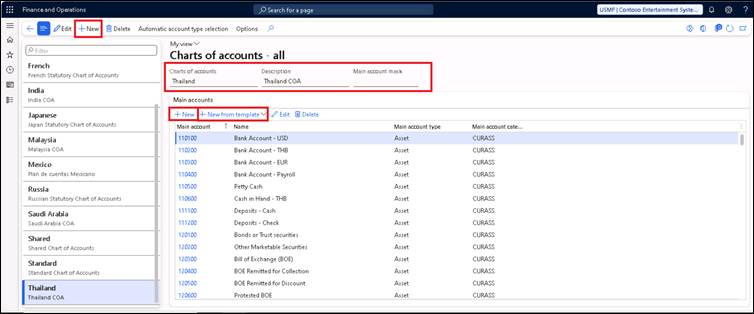
On the action pane click NEW, enter the Name and Description
Main account mask is a simple rule (using # and &) that controls the exact format and length of your account codes, ensuring consistency. For example, &##### forces codes like “S00001” (1 letter + 5 digits)—try “123456” and it blocks with an error.
You can add main accounts in the chart of accounts by clicking NEW under the fast tab Main accounts. There is also an option to add main accounts from the template which is already set.
Main account creation
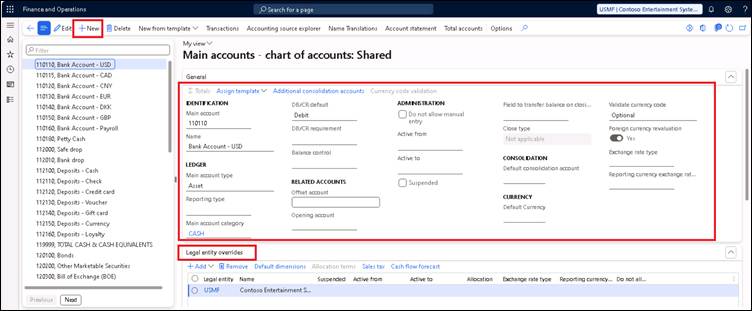
Path: General Ledger > Chart of accounts > Accounts > Main accounts
In the fast tab General, details such as Main account number, name, account type, reporting type and other details can be added.
Main account type: Asset (what you own, like inventory), Liability (debts, like supplier bills), Equity (owner’s stake), Revenue (sales income), or Expense (costs like rent). D365 uses this for auto-posting rules and balance sheets
Main Account Category: Group for reports: Cash (bank notes), Receivables (customer dues), Inventory (stock), etc. Unlike Account Type, this is flexible and helps generate Profit & Loss summaries without changing core type
Reporting type: Whether it is Header or Empty header
Do not allow manual entry: Restrict direct posting to this account
Currency, Active period, like we can configure as per the requirements.
Also, if you want to suspend a particular account for an entity then it can be done through legal entity overrides option